

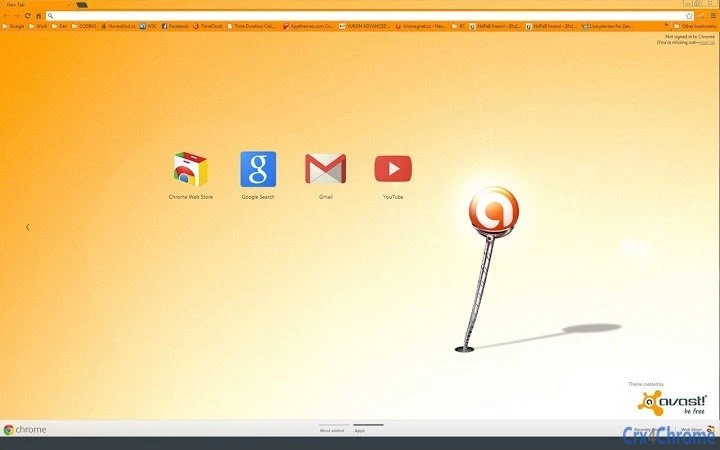
Description
Avast: Top Antivirus for Multi-Device Security
Avast is a leading antivirus solution designed to safeguard digital environments across multiple platforms. With protection for PCs, Macs, and Android devices, it addresses the growing need for comprehensive security in today’s interconnected world. The software helps users defend against malware, phishing attempts, ransomware, and other online threats. It is tailored for both individual consumers and small business users who rely on digital devices for daily tasks. Avast’s widespread adoption—over 160 million active devices—reflects its reputation for reliability and ease of use. Real-world applications include securing personal data, protecting online banking sessions, and ensuring safe browsing across multiple devices. Its cross-platform functionality allows users to maintain consistent protection whether at home, in the office, or on the go. The developer did not provide additional details about its technical architecture or development methodology. However, the software’s global presence suggests a mature and well-tested security framework.
Key Features & Capabilities
- Real-Time Threat Protection – Monitors system activity continuously to detect and block malicious files, scripts, and behaviors before they cause harm.
- Web and Link Protection – Scans URLs in real time to warn users about unsafe websites and phishing pages.
- Privacy Shield – Blocks trackers and prevents websites from collecting sensitive browsing data.
- Secure Browser – Offers a private browsing mode with enhanced security for sensitive transactions.
- Multi-Device Compatibility – Provides consistent protection across Windows, Mac, and Android platforms.
User Interface, Workflow & Performance
The user interface is designed with simplicity in mind, featuring a clean dashboard that displays the current security status at a glance. Navigation is intuitive, allowing users to access core functions such as scans, settings, and threat history without technical expertise. The workflow is streamlined, with quick-access buttons for common tasks like initiating a full system scan or reviewing recent detections. The developer did not specify resource usage details, so performance behavior remains general. However, based on typical antivirus patterns, the software operates efficiently in the background with minimal impact on system responsiveness. Stability appears to be consistent, as indicated by its widespread use across millions of devices. CPU and RAM usage are not explicitly mentioned, but such tools typically optimize resource consumption during idle periods. No performance benchmarks were provided, and exact behavior under heavy workloads remains unspecified.Compatibility & System Requirements
Avast is compatible with Windows, Mac, and Android operating systems. The software version is 2024, and the installation size is 1.2 GB. Platform compatibility information is limited to these three systems. Exact system requirements were not listed, so users should refer to official documentation for specific hardware and OS versions. The software does not appear to require specialized hardware, as it functions across a wide range of devices. No additional dependencies were mentioned. Users should ensure their system meets baseline requirements for running antivirus software, such as sufficient disk space and memory. The developer did not provide information on older OS versions or unsupported platforms.Pros and Cons
- Protects multiple devices across Windows, Mac, and Android
- Real-time threat detection and blocking
- Includes privacy and browser protection features
- Free version available with core security functions
- Regular updates to maintain protection against new threats
- Full feature set may require a paid subscription
- Resource usage details not publicly disclosed
- Some advanced tools are restricted in the free version
- Interface may feel cluttered to new users
- Additional modules may increase installation size
FAQ Section
Is Avast safe to use on my PC and Mac?
Yes, Avast is designed to operate securely on both Windows and Mac systems. It does not introduce vulnerabilities and is widely trusted by users globally.
Can I use Avast on Android devices?
Yes, Avast offers protection for Android smartphones and tablets, providing security for mobile browsing, app downloads, and device integrity.
Does Avast require a paid subscription to function?
No, Avast provides a free version with essential antivirus and security features. Some advanced tools may be available only in paid plans.
How often does Avast update its virus definitions?
Avast automatically updates its threat database regularly to ensure protection against the latest malware and online threats.
Can I use Avast offline?
Yes, Avast can function without an internet connection. However, real-time protection and updates require connectivity for optimal performance.
Final Thoughts + CTA
Avast stands out as a reliable, multi-platform antivirus solution with a proven track record of protecting millions of devices. Its combination of real-time threat detection, privacy safeguards, and cross-device support makes it a strong choice for home users and small teams. While the free version delivers core security, advanced capabilities may require a paid upgrade. The interface is user-friendly, and the software integrates seamlessly into daily workflows. For those seeking comprehensive protection across Windows, Mac, and Android, Avast delivers consistent performance and broad coverage. Download Avast now for robust, multi-device security.Guides & Tutorials for avast! Antivirus Theme Theme for Chrome
How to install avast! Antivirus Theme Theme for Chrome
- Click the Preview / Download button above.
- Once redirected, accept the terms and click Install.
- Wait for the avast! Antivirus Theme Theme for Chrome download to finish on your device.
How to use avast! Antivirus Theme Theme for Chrome
This software is primarily used for its core features described above. Open the app after installation to explore its capabilities.
User Reviews for avast! Antivirus Theme Theme for Chrome 0
No reviews found





